It’s Tuesday afternoon in Dubai. Your campaign launches Friday, the client wants a warm North American voice, and your usual talent is booked. A few years ago, that meant scrambling for studio time, managing travel, or settling for whoever was available nearby.
Today, it simply means sending a session link.
I’m Leah Arscott, an award-winning Canadian voice actor with 8+ years in the booth and 1,200+ completed projects for brands like Google, Amazon, Apple, BMW, Porsche, Sephora and TikTok. I record for producers and agencies across the United States, Europe, the Middle East and Australia, and nearly all of it happens remotely. Here’s why remote voice over recording has become the smartest way to hire talent, and what a session actually looks like from start to finish.
What Is Remote Voice Over Recording?
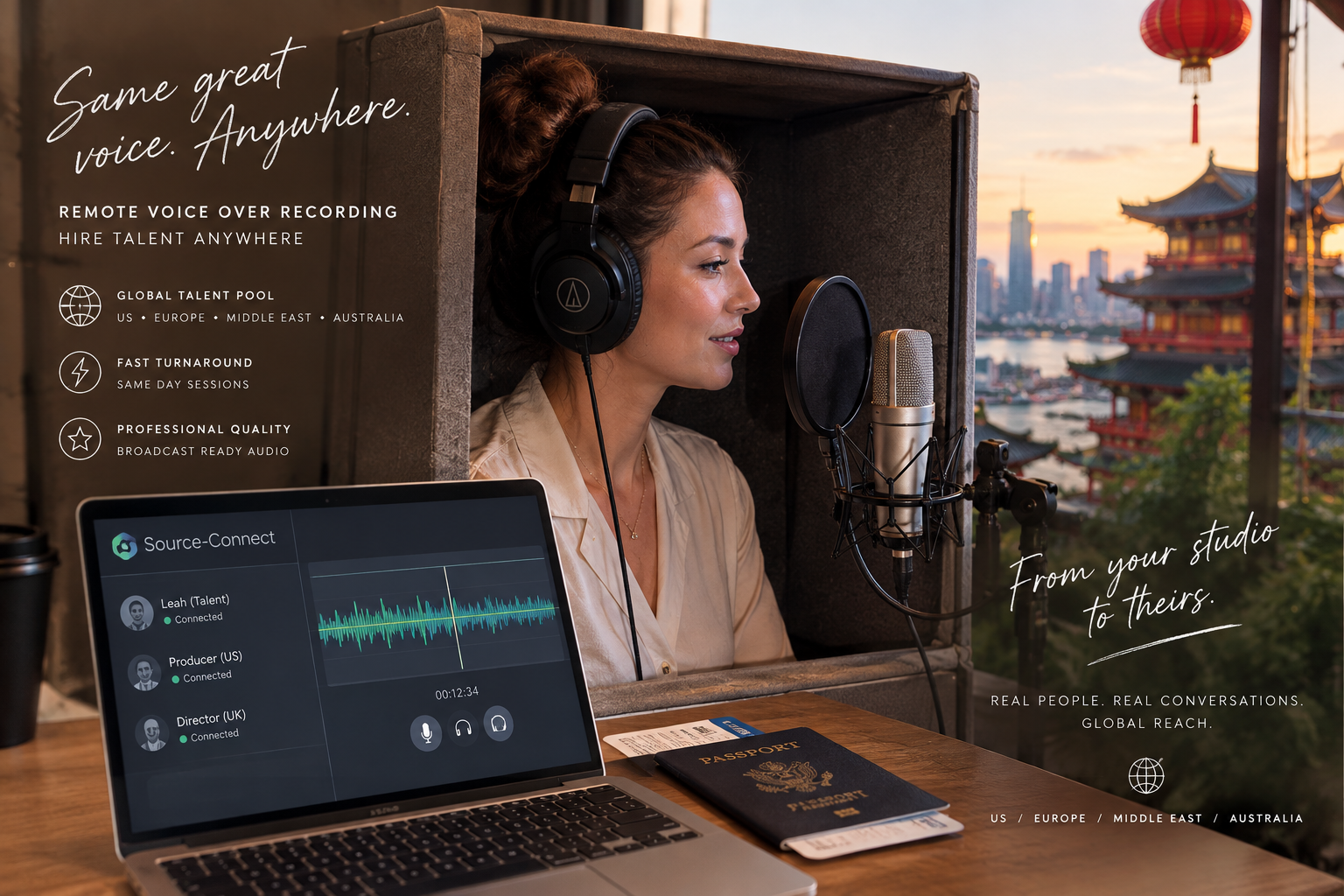
Remote voice over recording means the voice actor records from their own professional studio while you listen, direct and approve from wherever you are. You might be in a post house in London, an agency in Sydney, or a home office in Los Angeles. The voice actor might be thousands of kilometres away. It doesn’t matter.
The session works in one of two ways. In a live-directed session, you connect in real time, hear every take as it happens and give notes on the spot. In a self-directed session, the voice actor records from your brief and delivers files for review.
Either way, the result is the same: broadcast-ready audio, recorded in a treated studio, delivered fast.
Why Remote Voice Over Recording Makes Hiring Easier
Remote work isn’t just a convenience. In fact, it has changed how the best producers cast and book talent.
You Can Hire the Right Voice, Not the Nearest One
Before remote sessions became standard, many producers chose from whoever lived near a good studio. Now, your talent pool is global. If the perfect voice for your spot lives in Toronto and you’re producing in Amsterdam, distance is no longer a barrier. As a result, you can cast for fit, tone and experience instead of postcode.
Turnaround Is Faster
There’s no studio to book, no travel to schedule and no waiting for a room to open up. Many remote sessions happen within a day of booking. Some happen the same afternoon. For tight launch windows, that speed makes a real difference.
Costs Come Down
Remote voice over recording removes several costs at once. You don’t pay for studio rental, travel or per diems. Instead, your budget goes toward the performance itself and the usage you need.
The Quality Matches a Commercial Studio
This is the biggest shift of all. Professional voice actors now work from fully treated studios with the same microphones you’d find in a commercial facility. When the room and the gear are right, the audio is indistinguishable from a traditional studio session.
Want to hear what a home studio recording sounds like? Every demo on leahvoiceover.com was recorded in my own treated studio. Have a listen and judge the quality for yourself.
How a Source-Connect Session Works
Source-Connect is the industry standard for live-directed remote voice over recording. It links my studio directly to yours with high-quality, low-delay audio, so it feels very close to sitting on the other side of the glass.
Here’s what a typical session looks like.
Step 1: Booking and Prep
We confirm the script, specs, usage and session time. You send any reference spots, pronunciations or temp tracks ahead of time. For tips on what to include, see my guide on writing a voice over brief.
Step 2: Connecting
At session time, your engineer connects to my studio through Source-Connect. If you don’t have Source-Connect on your end, that’s completely fine. We can also connect through Zoom or a phone patch, so you can listen and direct from your laptop or even your phone.
Step 3: Recording and Direction
I record while you listen live. You give notes, I adjust, and we work through alternate reads together. Meanwhile, I’m capturing full-quality audio locally in my studio, so the final files are always pristine, even if the monitoring connection is set up through a simpler app.
Step 4: Delivery
Once we wrap, I edit and deliver broadcast-ready files, usually within hours. Often, they’re in your inbox before the end of the day.
A real example: earlier this year, a Toronto producer reached out about a 60-second radio and digital spot. We confirmed the details on a call one morning, he patched in on Zoom that same afternoon, and we recorded several variations of a key line while he listened. The files were delivered within minutes of wrapping. His reply was simple: he was looking forward to more easy sessions just like it.
That’s the magic of remote recording. It removes friction for everyone.
Inside My Remote Recording Studio
When you book remote talent, the studio matters as much as the voice. Here’s what you’re working with when you book me:
Microphone: Neumann TLM 103, a large-diaphragm condenser trusted in commercial studios worldwide
Interface: Focusrite Clarett, for clean, low-noise preamps
Recording software: Logic Pro X
Remote connection: Source-Connect, plus Zoom and phone patch options
Room: a fully treated recording space, with no HVAC hum, echo or outside noise
Delivery: WAV files at 48kHz, 24-bit as standard, with other formats available on request
In short, you get commercial-studio quality without the commercial-studio logistics.
Planning a session? Send your script and preferred time through my contact page, and I’ll confirm availability within the day.
Working Across Time Zones: US, Europe, the Middle East and Australia
One of the most common questions I hear from international producers is about time zones. The good news is that remote voice over recording makes this surprisingly easy. Here’s how scheduling typically works from my studio, which runs on Eastern Time (ET).
United States
Sessions line up naturally across all four US time zones. A morning session in New York or an afternoon session for a Los Angeles team fits easily into a standard workday.
Europe and the UK
My morning is your afternoon. A 9 a.m. ET session lands in the early afternoon in London and mid-afternoon in Paris, Madrid, Milan or Stockholm. That’s perfect for agencies that want files ready by end of day.
The Middle East
Early morning sessions work well here. A 7 a.m. ET start is mid-afternoon in Dubai or Riyadh, so your team can direct during working hours and review the files the same day.
Australia and New Zealand
Evening sessions on my end become morning sessions for you. For example, a 6 p.m. ET start is the next morning in Sydney or Melbourne. As a result, Australian producers can often brief me at the end of their day and wake up to finished files.
I’m flexible with session times, and I always confirm the exact time in both time zones in writing. That small step prevents any mix-ups.
Self-Directed vs. Live-Directed Remote Sessions
Both options deliver professional results. The right choice depends on your project.
Choose a live-directed session when the client is particular about tone, the script includes complex brand language, or the spot is high stakes, such as a national TV campaign. Being in the room, even virtually, lets you shape every line.
On the other hand, a self-directed session works beautifully for most e-learning, corporate narration, explainers and many digital ads. With a clear brief, I’ll deliver a primary read plus alternates, so you still have options.
Not sure which is right for you? Just ask. I’m happy to recommend the best approach for your schedule and budget.
Tips for a Smooth Remote Session
A little preparation goes a long way. These simple steps keep remote sessions quick and painless:
Share the final script and any references at least a few hours before the session
Confirm the session time in both time zones, in writing
Decide who on your team will give notes, so direction stays clear
Test your connection a few minutes early, especially for first-time Source-Connect links
Confirm file specs, naming and delivery method in advance
Keep the client loop small during the session to avoid conflicting notes
These habits save time and help every session feel effortless.
Is Remote Recording Right for Your Next Project?
For most projects, the answer is yes. Remote voice over recording gives you access to the right voice, wherever they are. It speeds up turnaround, trims costs and delivers studio-quality audio without the logistics of a traditional booking.
Whether you’re producing a broadcast campaign in New York, a social series in London, a brand film in Dubai or an e-learning course in Sydney, I’d love to help bring it to life.
Frequently Asked Questions About Remote Voice Over Recording
What is remote voice over recording?
Remote voice over recording is when a voice actor records from their own professional studio while the client listens, directs or reviews from another location. Sessions can be live-directed in real time or self-directed from a written brief.
Is remote recording the same quality as a professional studio?
Yes, when the voice actor works from a properly treated studio with professional equipment. I record on a Neumann TLM 103 through a Focusrite Clarett interface in a treated space, and I deliver broadcast-ready WAV files.
What is Source-Connect, and do I need it?
Source-Connect is industry-standard software that links studios for high-quality, real-time remote sessions. You don’t need it to work with me. If you don’t have it, we can connect through Zoom or a phone patch, and I’ll still capture full-quality audio in my studio.
Can I direct a session from another country?
Absolutely. I regularly work with producers across the United States, Europe, the Middle East and Australia. We simply agree on a session time that suits both time zones, and you direct live from wherever you are.
How fast are remote recording files delivered?
Most files are delivered within a few hours of the session, and often within the same day. For tight deadlines, rush delivery is available on request.
Want to dig deeper? See my commercial voice over rates guide, hear my demos on the commercial voice over page, or check the voice over FAQ.